Redeem Codes
Generate batches of one-time codes that award XP when redeemed, for IRL events, partner drops and hidden gates.
Redeem Codes are short, single-use codes that grant XP when an end user enters
them. They're a gamification quest type (redeem_code): you hand out codes
out-of-band (on stickers at a conference, in a partner's newsletter, behind a
secret link) and holders redeem them on your campaign site to earn XP toward
the leaderboard.
IRL events
Print codes on stickers, badges or QR cards at a booth or meetup. Each redemption awards XP.
Partner drops
Give a partner a batch to distribute to their audience, then track redemptions by batch.
Hidden gates
Tuck a code into a video, AMA or Easter-egg page to reward your most engaged community members.
How it works
Redeem Codes are a two-step setup: first a quest holds the redeem-code behavior, then you generate one or more batches of codes for that quest. A code's length and prefix are chosen at generation time, not on the quest.
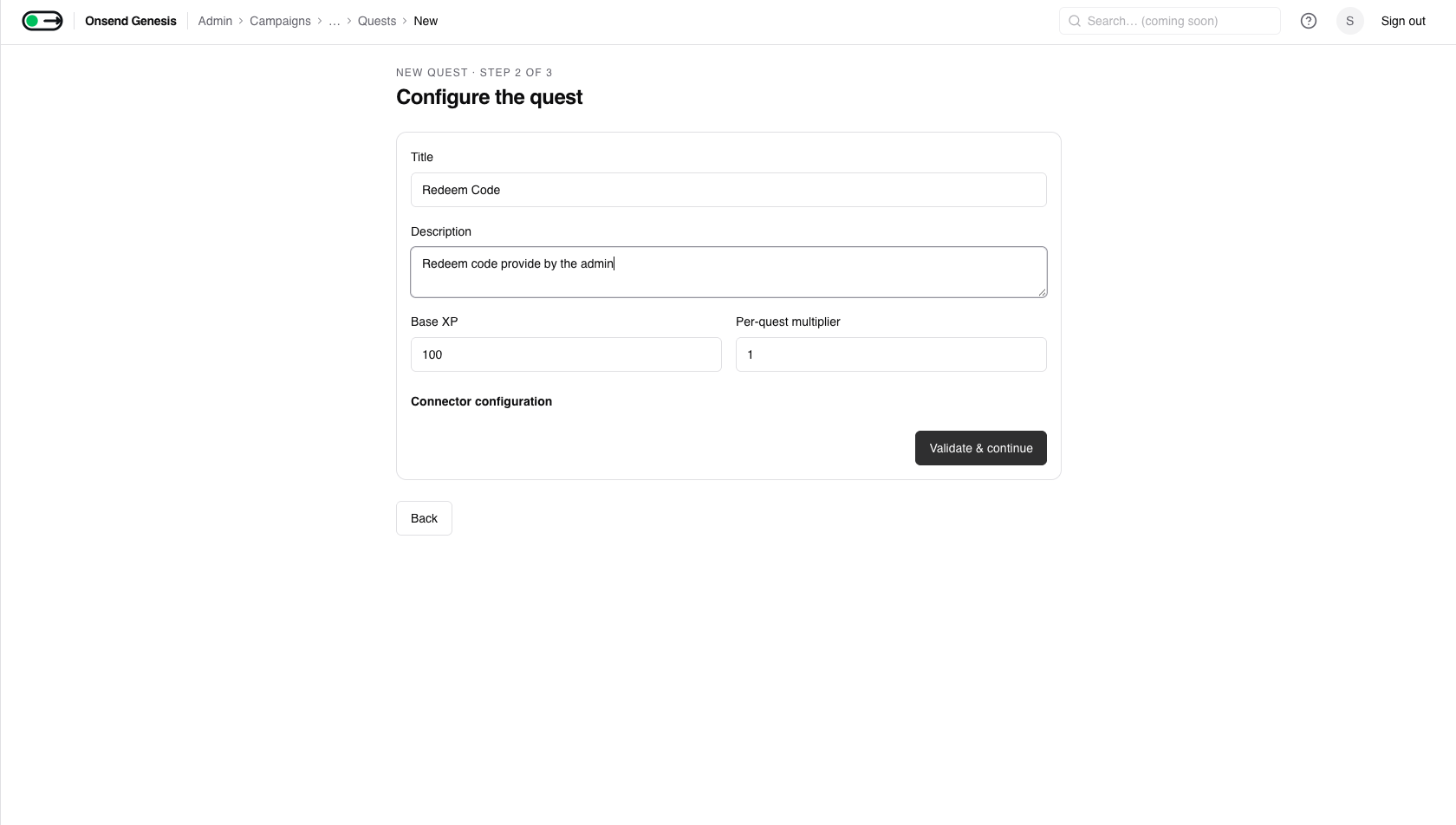
Create a redeem-code quest
In a campaign, add a quest and choose the Redeem code connector. This is the quest that codes will award XP toward. Creating it does not mint any codes yet.
Generate a batch
Open Redeem Codes in the admin sidebar and click Generate codes. Pick the quest, then set the batch parameters.
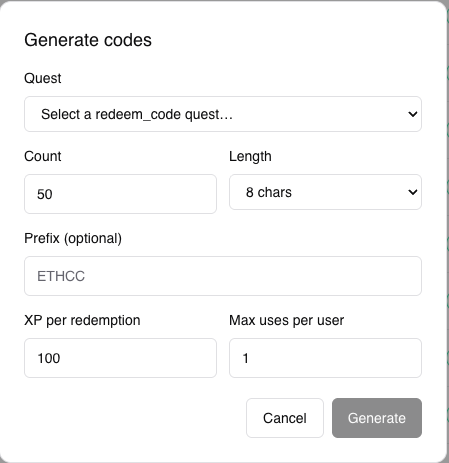
| Field | Range / default |
|---|---|
| Quest | Any quest using the Redeem code connector (required) |
| Count | 1–10,000 (default 50) |
| Length | 8 or 12 characters (default 8) |
| Prefix (optional) | 0–6 chars [A-Z0-9], dash-joined, so ETHCC → ETHCC-A1B2C3D4 |
| XP per redemption | ≥ 0 (default 100), set per batch, not on the quest |
| Max uses per user | 1–100 (default 1) |
Each batch is stamped with a batch ID so you can track and export codes by distribution channel (one batch per partner, one per event).
How codes are generated
Code bodies use a 31-character alphabet that excludes the ambiguous glyphs
0, 1, I, L, O so they're easy to read off a sticker or type by
hand. They're generated with cryptographic randomness (rejection-sampled for
a uniform distribution) and are unique within your project.
Codes are single-use
Each generated code can be redeemed once in total (one successful redemption, then it's spent). The Generate modal doesn't expose multi-use or an expiry date, so plan one code per intended recipient.
Distribute, track, and manage
Generated codes appear in the Redeem Codes list, filterable by batch ID and status. Each row shows its quest, XP, uses, status and expiry.
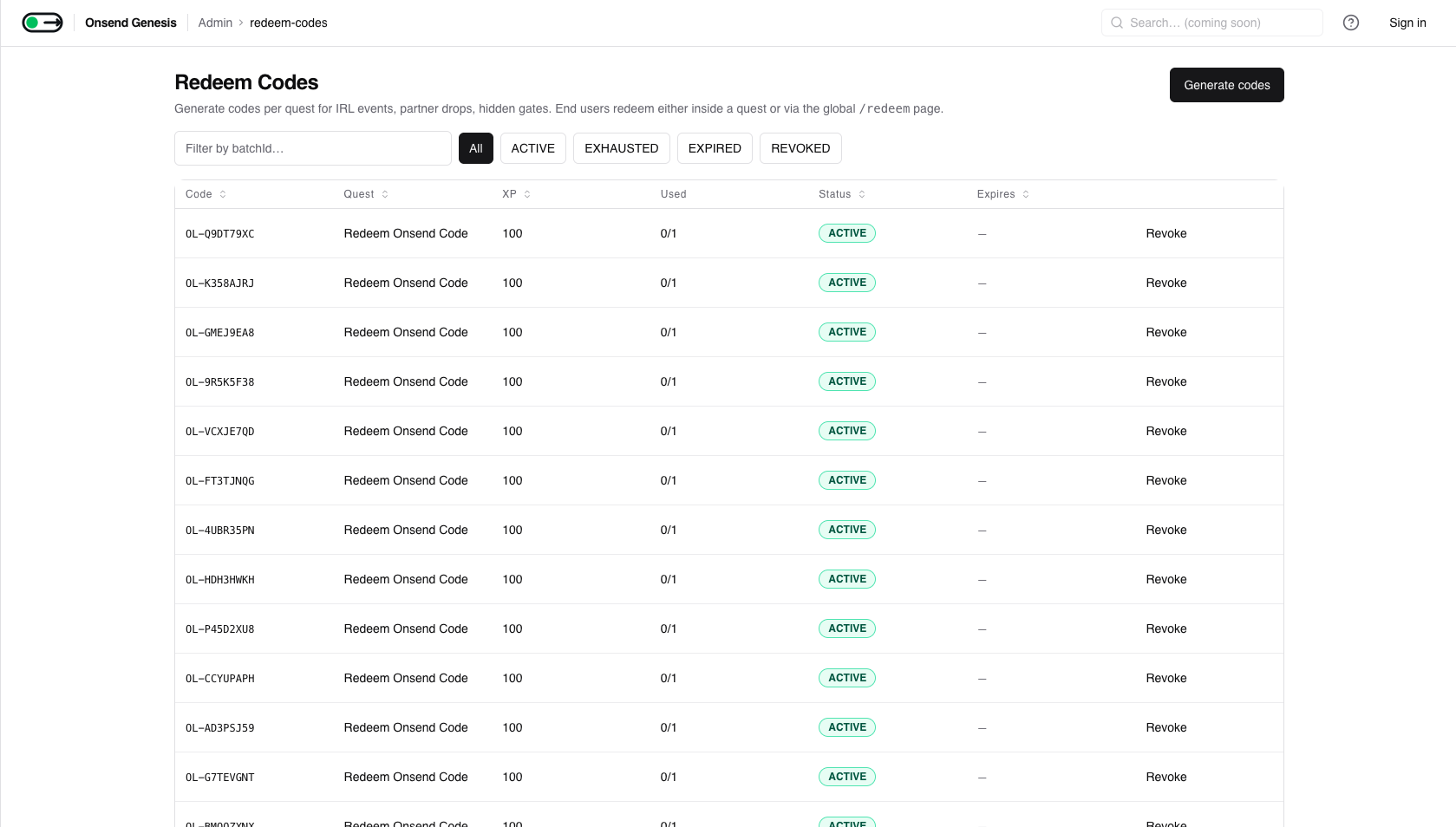
- Export CSV: download a batch (
code, status, uses, maxUses, expiresAt) to feed a print run, a partner, or a mail merge. - Revoke: disable an individual active code immediately (e.g. a leaked code). Revoking is idempotent.

A code is always in one of four states:
| Status | Meaning |
|---|---|
ACTIVE | Redeemable |
EXHAUSTED | Reached its use cap |
EXPIRED | Past its expiry (swept daily) |
REVOKED | Disabled by an admin |
How end users redeem
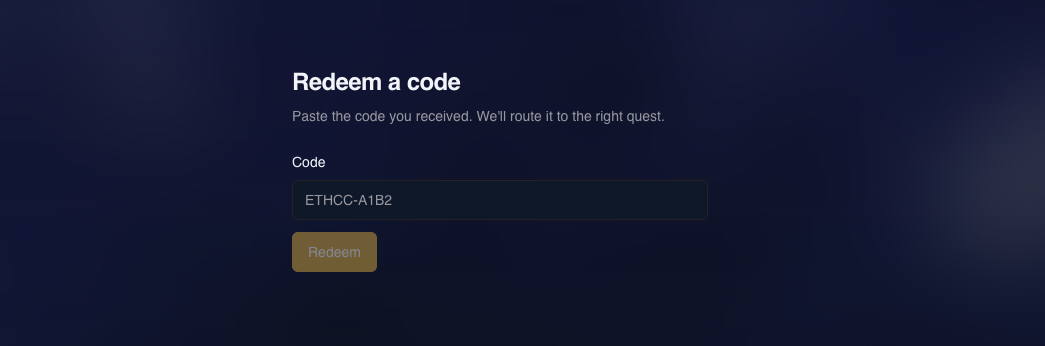
End users redeem at /redeem on your campaign site. They enter the code, and the
XP lands on their profile.
Connect wallet
Redemption requires a signed-in session, so the user connects their wallet first.
Enter the code
They type the code (case-insensitive, since it's normalized on submit) and hit Redeem.
XP is awarded
On success they see +XP and the quest it counted toward; the XP flows straight to the leaderboard.
Built-in protections
- One redemption per user per code: a user can't redeem the same code twice (enforced atomically at the database level).
- Cap enforcement: once a code hits its use cap it flips to
EXHAUSTEDand stops accepting redemptions. - Rate limiting: redemption attempts are throttled per IP (10 / hour) to blunt code-guessing.
Tips
- One batch per channel. Generate a separate batch per partner or event so the batch ID becomes your attribution key in the CSV export.
- Use a prefix so codes are self-identifying in the wild (
ETHCC-…,PARTNERX-…). - Revoke, don't delete. If a code leaks, revoke it: the redemption history stays intact for auditing.