Campaigns & Quests
Create campaigns, add quests from the connector roster, and understand how Onsend verifies completions and awards XP.
A campaign is a container for the quests your community completes to earn XP and climb the leaderboard. A quest is one task (follow on Twitter, hold a token, redeem a code) backed by a connector that knows how to verify it. This guide walks through creating a campaign, adding quests across the full connector roster, and how verification and XP awards work under the hood.
Campaign
A named, slugged container with a status and a date window. Holds quests, multipliers and tier thresholds.
Quest
A single task backed by a connector. Has a title, base XP, and a per-quest multiplier.
Connector
The plugin that verifies a quest type: Twitter, Discord, on-chain, gamification. See Connectors for platform wiring.
Create a campaign
Open the new-campaign form
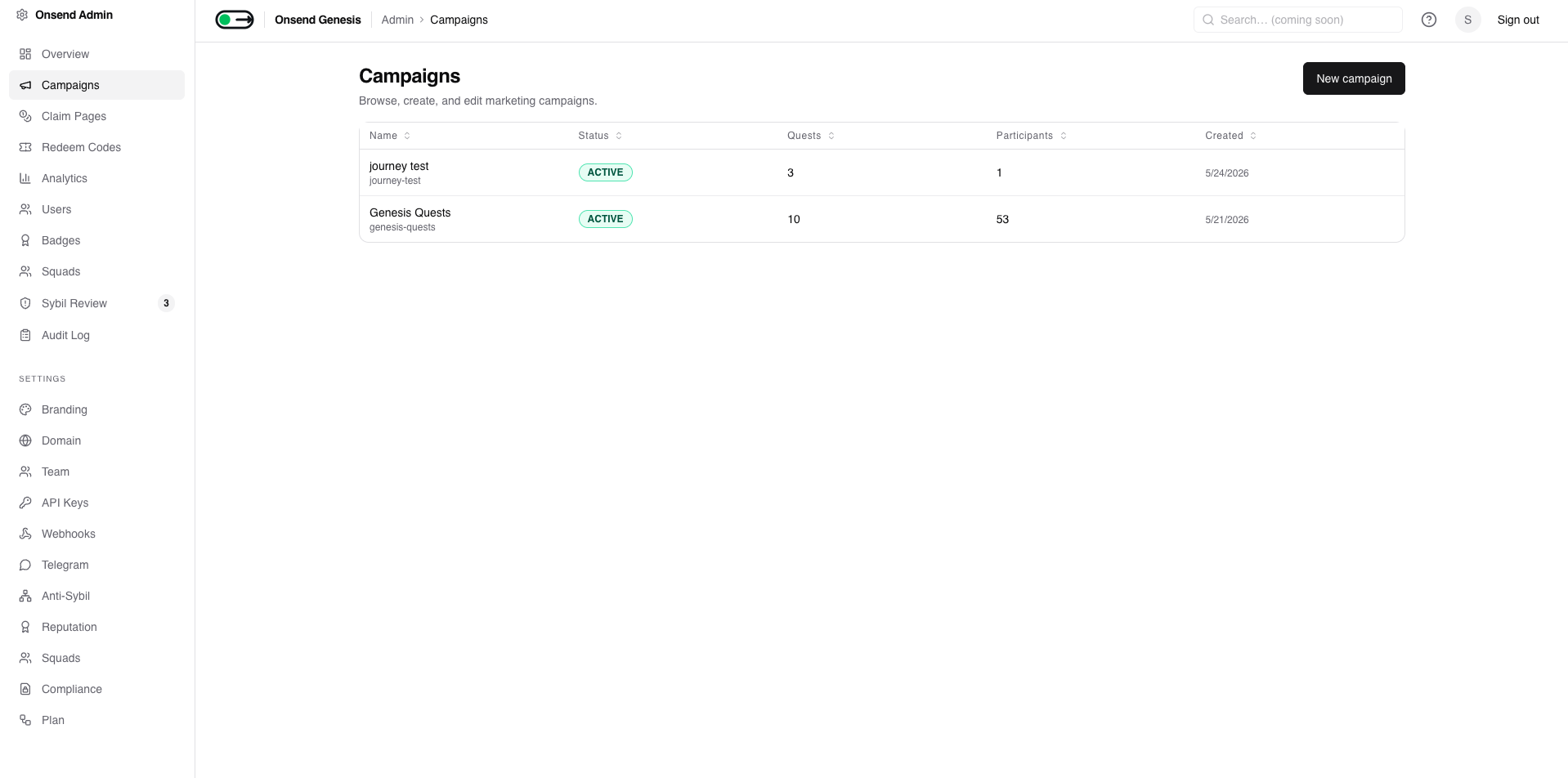
From Campaigns in the admin sidebar, click New campaign.
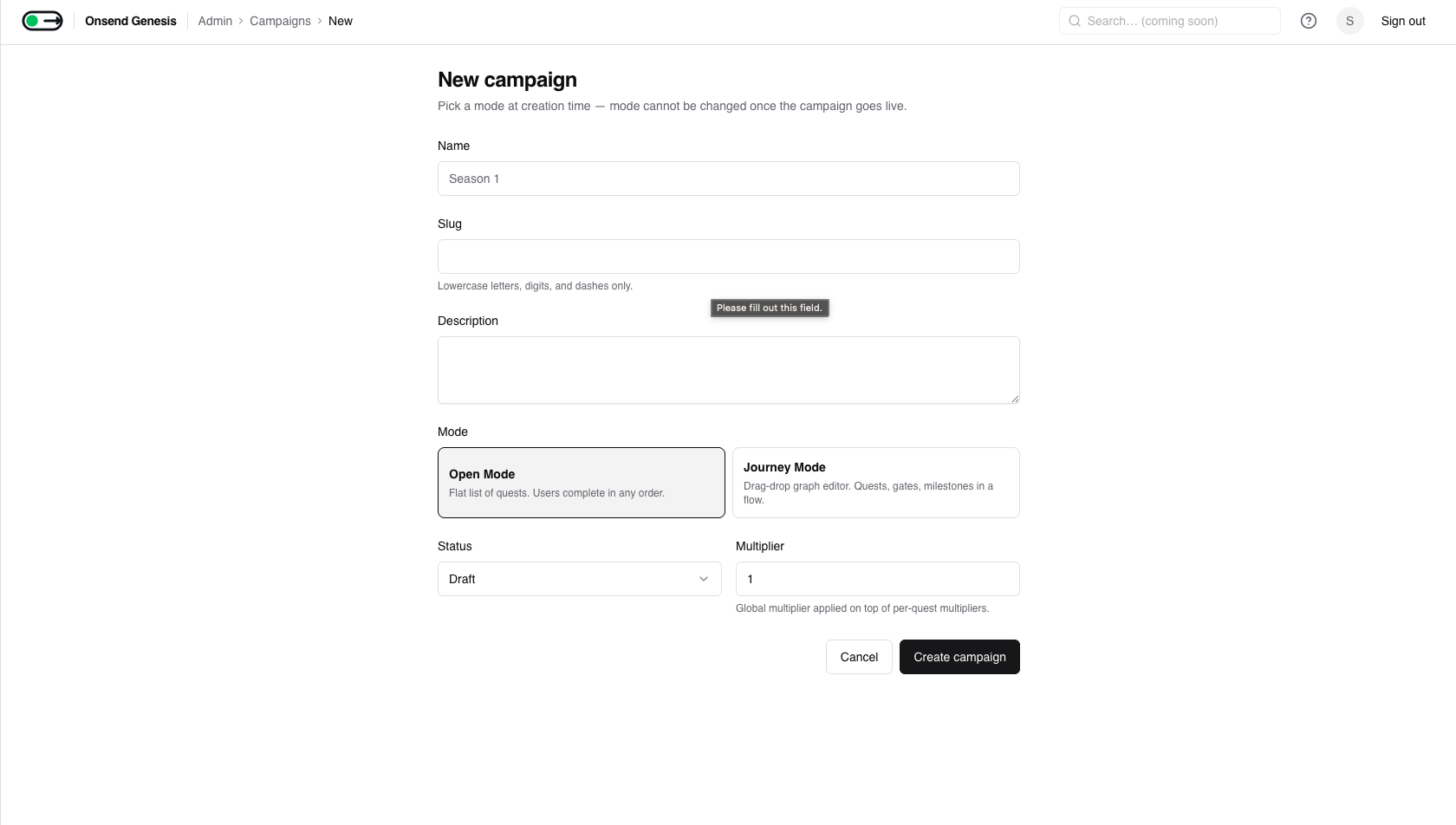
Fill in the basics
| Field | Notes |
|---|---|
| Name | Display name, up to 120 chars (e.g. Season 1). |
| Slug | Lowercase letters, digits and dashes only, up to 60 chars. Auto-derived from the name; editable. Must be unique within your project; a clash returns a clean error. |
| Description (optional) | Up to 2,000 chars. |
| Mode | OPEN (flat list, complete in any order) or JOURNEY (visual graph with gates and milestones). Mode locks once the campaign goes live, so pick deliberately. |
| Status | DRAFT or ACTIVE at creation. Campaigns also support PAUSED, COMPLETED and ARCHIVED later in their lifecycle. |
| Multiplier | Global multiplier (0.1–10) applied on top of every per-quest multiplier. |
| Start / end dates (optional) | The active date window for the campaign. |
Mode is permanent once live
Campaign.mode can only be changed while the campaign is in DRAFT. After it
goes live the mode selector locks and the API returns 409 mode_locked.
Choose Open for a simple quest board; choose Journey for sequenced,
gated flows.
Save
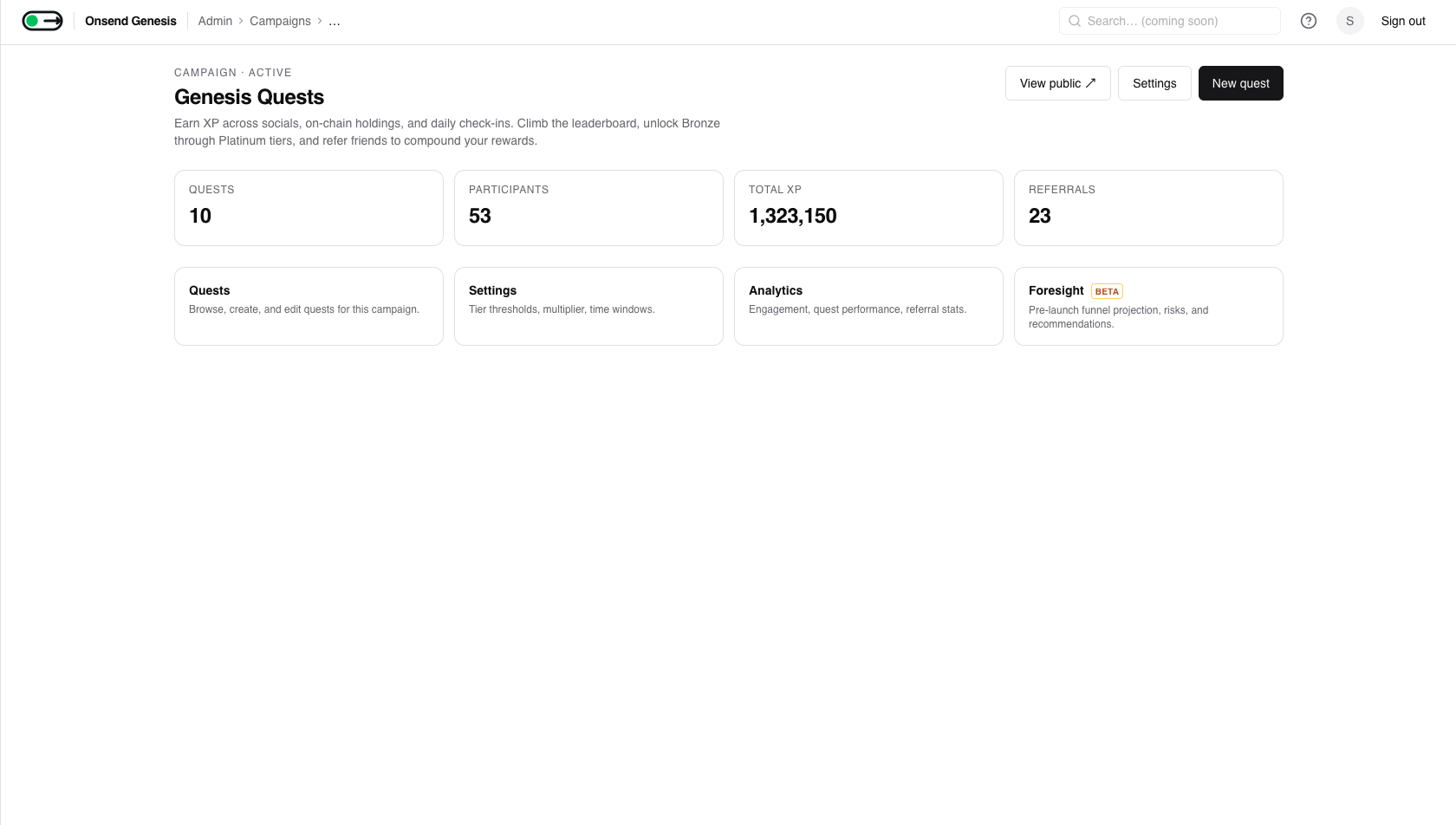
Creating the campaign lands you on its detail page, where quests, multipliers and tier thresholds live underneath.
Add a quest
Quests are added from the campaign detail page via a three-step wizard: pick a connector → configure → review & publish.
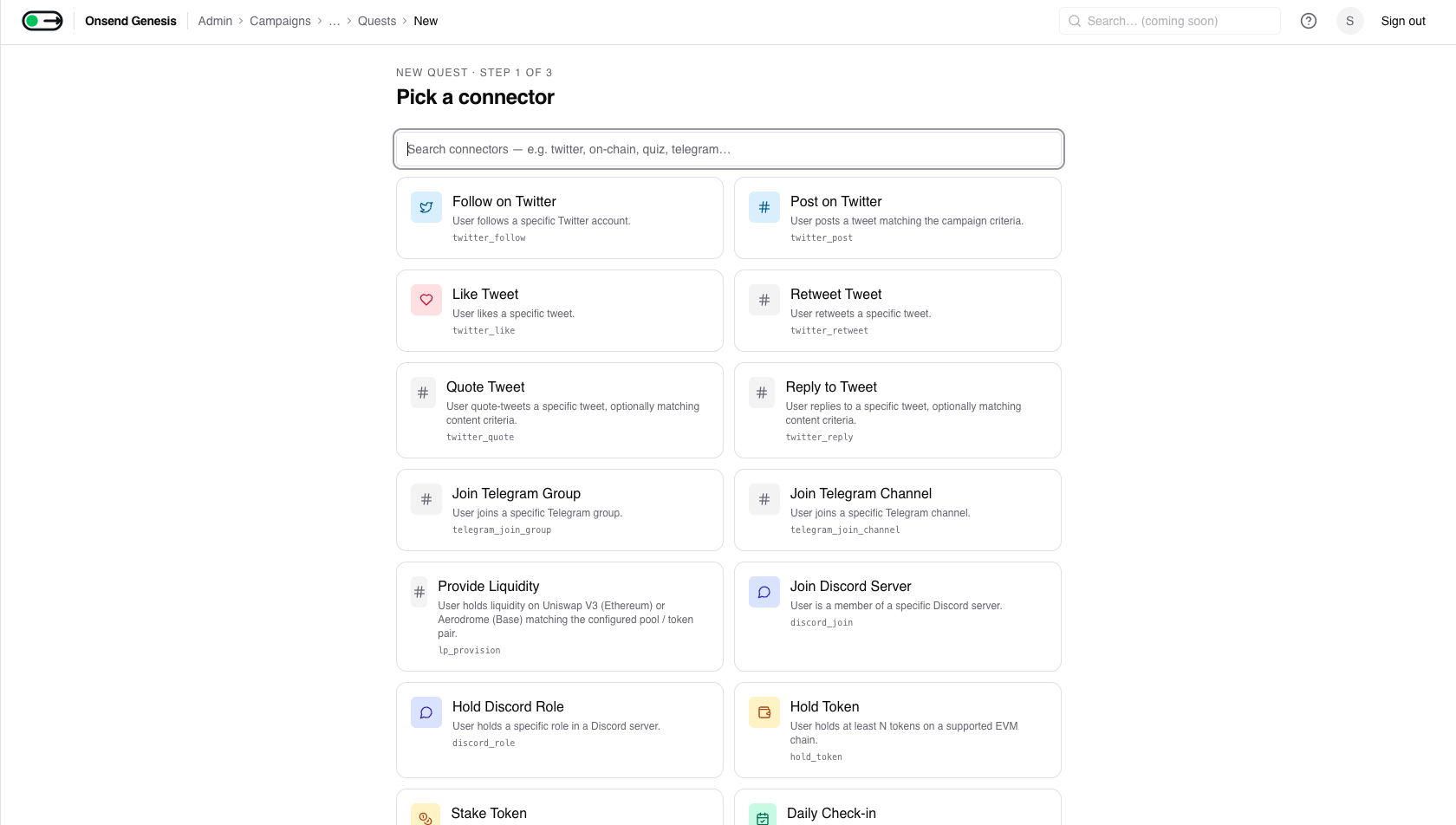
Pick a connector
Search or browse the connector grid and pick the quest type. The roster is grouped into Social, On-chain and Gamification (full table below).
Configure the quest
Every quest shares a common header (Title, Description, Base XP at a default of 100, and a Per-quest multiplier), followed by the connector-specific configuration rendered from that connector's schema.
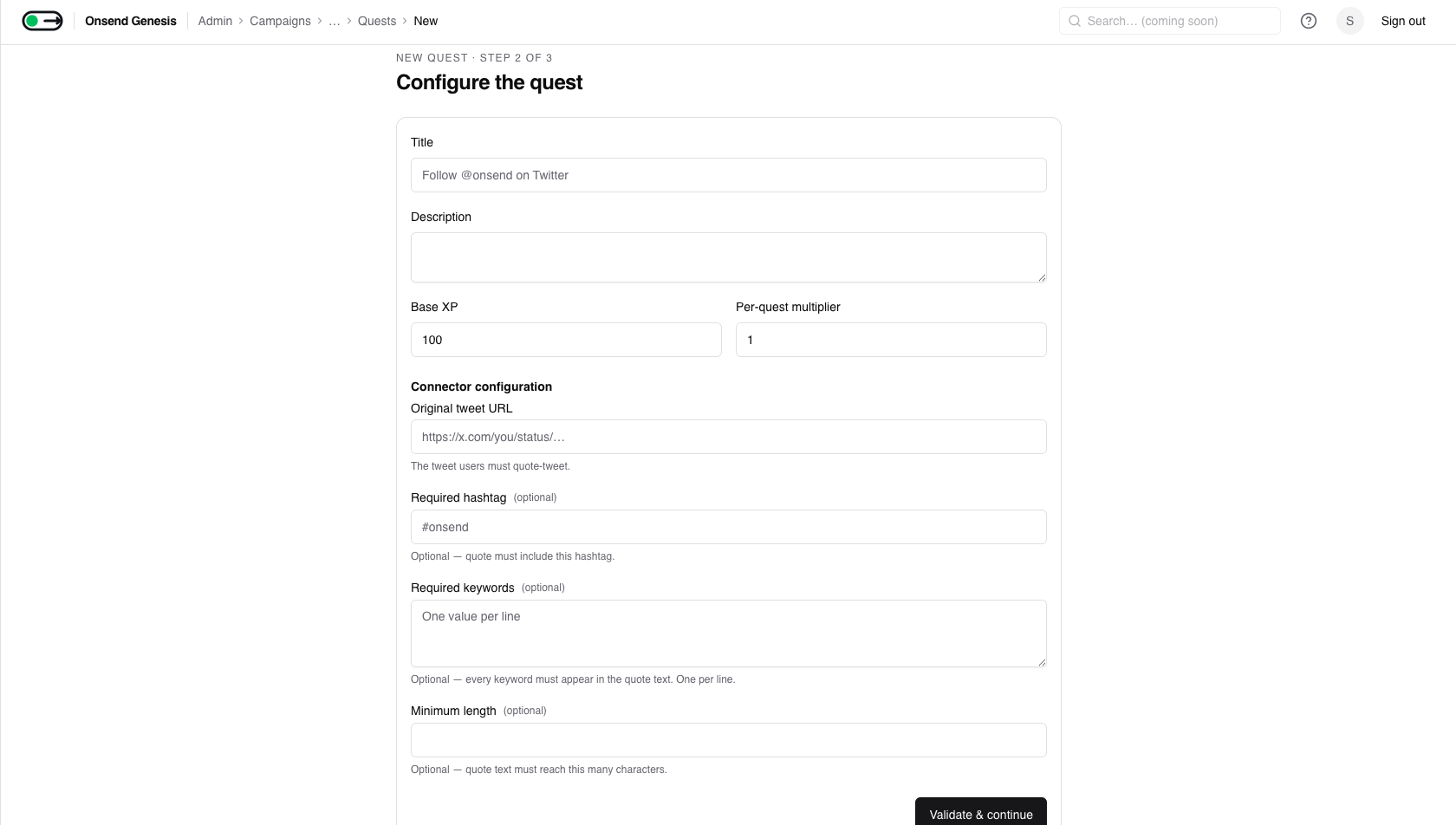
Review & publish
Review the title, connector, XP, multiplier and the generated config, then Save as draft or Publish. A published quest is immediately verifiable by end users.
Quest-type roster
Onsend ships with a fixed set of built-in connectors. Each row lists the connector id, what it verifies, and its key admin config field(s).
For social platforms you must wire credentials (Twitter / Discord / Telegram) once at the project level; see Connectors. Redeem Codes has its own batch-generation flow.
Social
| Connector id | What it verifies | Key config |
|---|---|---|
twitter_follow | User follows a Twitter/X account | handle (lowercase, 1–15 chars) |
twitter_post | User posts a tweet matching criteria | one of requiredHashtag / requiredMention / requiredKeywords; optional minLength, excludeRetweets, excludeReplies |
twitter_like | User likes a specific tweet | tweetUrl (twitter.com / x.com link) |
twitter_retweet | User retweets a specific tweet | tweetUrl |
twitter_quote | User quote-tweets the original | originalTweetUrl; optional requiredHashtag, requiredKeywords, minLength |
twitter_reply | User replies to a parent tweet | parentTweetUrl; optional requiredHashtag, requiredKeywords, minLength |
discord_join | User is a member of a Discord server | guildId (snowflake); optional inviteUrl (must be a discord.gg/… invite link) |
discord_role | User holds a specific Discord role | guildId + roleId (snowflakes) |
telegram_join_group | User joined a Telegram group | groupId (signed integer); optional groupHandle |
telegram_join_channel | User joined a Telegram channel | channelId; optional channelHandle |
On-chain
| Connector id | What it verifies | Key config |
|---|---|---|
hold_token | Wallet holds ≥ a balance of an ERC-20 | chain (ethereum/base), tokenContract, minBalance (raw units), decimals (default 18) |
stake_token | Wallet has ≥ a balance staked in a contract | chain, stakingContract, minStaked (raw units); optional balanceOfFunction |
lp_provision | Wallet provides liquidity (Uniswap V3 on Ethereum / Aerodrome on Base) | chain, protocol; poolAddress or both token0Address+token1Address; optional minTokenAmount |
On-chain amounts are raw units
minBalance, minStaked and minTokenAmount are post-decimals decimal
strings (raw token units), not human amounts. For an 18-decimal token,
"100 tokens" is 100000000000000000000. Admins paste the contract address
directly; there's no token registry or USD valuation.
Gamification
| Connector id | What it verifies | Key config |
|---|---|---|
daily_checkin | User checks in once per UTC day; streaks earn a bonus | baseXp (default 50), streakBonusXp (default 10), maxStreakDays (default 30, 0 = unlimited) |
redeem_code | User enters a valid one-time code | codeFormat (alphanumeric_8/_12/uuid_v4); optional codePrefix. Codes are generated in batches; see Redeem Codes |
quiz | User passes a multi-question quiz | questions[] (text, choices, correctIndex, points), passingPercentage (default 80), rewardOnPass, maxAttempts (default 3) |
mystery_box | User opens a box for a weighted random reward | outcomes[] (2–10 weighted entries of xp_amount / multiplier_grant / nothing), showLootTable (default true) |
Quiz answers stay server-side
A quiz's correctIndex and per-user choice ordering never appear in any
client payload; only the server knows the right answer. Mystery Box rolls
are deterministic per user/quest, so a re-attempt always yields the same
outcome.
Verification & XP
Verification is the single most important behavior to understand. End users submit a quest; the engine validates it through the connector and either awards XP immediately or parks it for a background re-check.
Verify-on-submit vs deferred
Most connectors verify synchronously: the engine checks the proof on
submission and returns a result right away (twitter_follow, discord_join,
hold_token, quiz, redeem_code, …).
A few verify deferred, because the underlying provider can lag (e.g. a freshly
posted retweet not yet indexed). When all providers fail on first submit, the
engine writes a PENDING_VERIFICATION row and a worker re-checks it on a
loop (~every 5 minutes), driving it to completion when the proof lands.
What 'pending' means to the user
A pending quest is not a failure. The user sees a "verifying…" state; the
background worker confirms it later and the XP lands without the user
resubmitting. twitter_retweet is the canonical deferred example (Like-style
15-minute recheck on all-providers-failed).
Idempotency: no double XP
Every completion is keyed by a unique (questId, userId, idempotencyKey)
tuple, so a quest can only pay out once.
- For one-shot quests the key is
${questId}:${userId}, which means one completion per user per quest. - For repeatable quests like
daily_checkinthe key includes the period (e.g. the UTC date), so each day is its own awardable completion. - Concurrent double-submits are safe: the database unique index lets exactly one write win; the engine catches the conflict and returns the winner's row instead of paying twice.
XP award & multipliers
On a successful verify the engine awards XP in a single transaction:
- Base XP: the quest's
baseXp, unless the connector returns a per-user override (e.g.daily_checkinadds the streak bonus, Mystery Box uses the rolled amount). - Multipliers compose on top: any active user multipliers, the per-quest multiplier, and the campaign-wide multiplier all stack on the base amount.
- The user's total XP and the per-campaign rollup are bumped, and the result feeds the leaderboard.
Anti-sybil can hold rewards
If anti-sybil scoring flags the user, a completion can be recorded with XP
held (xpAwarded = 0, the real amount parked as pendingXpAward) pending
admin review. Totals and the leaderboard are not incremented until an admin
approves. The user still sees the quest as completed.
Tips
- Draft first, then publish. Build and configure quests as drafts, sanity- check them on the campaign detail page, then publish in a batch.
- Pick the right mode up front. Mode locks at go-live, so use Journey only when you genuinely need gates, time-locks or milestones.
- Wire platform credentials once. Twitter, Discord and Telegram connectors need project-level setup before they can verify; see Connectors.
- Use raw units for on-chain thresholds. Double-check the decimal places on
minBalance/minStaked/minTokenAmountbefore publishing.